Real-Time Market Data
For Your Trading Apps
Stream live forex, metals, indices and crypto prices from a broker’s live MT5 server, over REST and WebSocket.
Instruments
Timeframes, 1m to monthly
Free analysis pages
Languages
Three ways to use PriceFeed Pro
Ask Claude or ChatGPT. Get real market data.
Connect PriceFeedPro to your AI assistant and it answers with live prices, history and analysis, not guesses. Free plan included.
Market data for information only, not investment advice.
For developers: the data API
Live ticks, OHLC history and a nine-timeframe technical analysis payload over REST and WebSocket, with an API key.
Read the API docsFor traders: free analysis
4-hour, daily and weekly indicator readings, pivot levels and instrument profiles for 17 markets, in English and Arabic. No account needed.
Open the analysisTest your strategy before you trade it
Describe a trading idea to Claude or ChatGPT and the lab tests it on real 1-minute history, after the broker’s real costs.
Past results on historical data do not predict future results.
Saw a “90% win rate” strategy on Instagram?
Describe it to Claude in one sentence. The Strategy Lab tests it on real history, after real broker costs.
This RSI strategy wins 90% of the time. Buy below 30, sell above 70. Link in bio.
12.4K likes
Video · 1:11
Reality check: “90% wins?” tested on real prices
The RSI 30/70 strategy from a “90% wins” post, tested on gold 1-hour bars since 2011, ends at −410.8R after costs over 3,448 trades, and EMA 9/21 goes from +201.7R before costs to −28.3R after; past results do not predict future results, and this is not advice.
Three popular strategies, tested as posted
| Symbol | Trades | Before costs | Costs | After costs | Versus luck |
|---|---|---|---|---|---|
| RSI(14) below 30 buy, above 70 sellFull results | |||||
| XAUUSD | 3,448 | −214.6R | −196.2R | −410.8R | Loss larger than luck |
| EURUSD | 3,238 | +22.8R | −206.1R | −183.3R | Loss larger than luck |
| EMA 9 / 21 crossoverFull results | |||||
| XAUUSD | 3,829 | +201.7R | −230.0R | −28.3R | Not distinguishable from luck |
| EURUSD | 4,097 | −92.7R | −259.5R | −352.2R | Loss larger than luck |
| London-open range breakoutFull results | |||||
| XAUUSD | 2,424 | +156.5R | −148.4R | +8.1R | Not distinguishable from luck |
| EURUSD | 3,050 | +128.4R | −192.2R | −63.8R | Not distinguishable from luck |
Five of the six lose after costs. Four are positive before costs, and costs turn three of those into losses. The only one still positive (London breakout on gold) cannot be told apart from luck.
Each symbol tested separately on 1-hour bars, 2011-06-01 to 2026-11-19. Same exits for all: entry at the next bar's open, stop 1.5×ATR(14), target 2R, exit on the opposite signal. Costs from one broker's measured profile; yours may cost more or less. R = the amount risked per trade.
Past results do not predict future results. This is a test on historical data, not investment advice.
Live WebSocket Ticks
Bid and ask as the broker’s MT5 server publishes them, with the server’s own time on every tick.
350+ Instruments
Forex pairs, metals, indices, energies and crypto from the broker’s live catalog.
Enterprise Security
Hashed API keys, rate limiting, audit logging, and HTTPS encryption.
Simple Integration
Connect in minutes with our REST API or WebSocket stream
// Connect to real-time price stream via WebSocket
// Keep your API key on the server — never expose it in client-side code
const ws = new WebSocket(
  'wss://pricefeedpro.com/ws/v1/stream?api_key=' + API_KEY
);

ws.onopen = () => {
  ws.send(JSON.stringify({
    action: 'subscribe',
    symbols: ['EURUSD', 'XAUUSD', 'BTCUSD']
  }));
};

ws.onmessage = (event) => {
  const msg = JSON.parse(event.data);
  if (msg.type === 'tick') {
    // Tick also carries broker_time, broker_tz, market_closed,
    // data_stale (true if no fresh tick in ~2 min), trading_hours.
    console.log(`${msg.symbol} ${msg.bid}/${msg.ask} @ ${msg.broker_time}`);
  }
};
Built on PriceFeed Pro data
Applications that stream live forex, metals, crypto and index prices through the PriceFeed Pro market data API.
Market Analysis Widget
A copy-paste technical-analysis widget built on PriceFeed Pro's own OHLC and live ticks: oscillator and moving-average readings, pivot points across four systems and a candlestick chart. Deterministic and rule-based; not a forecast.
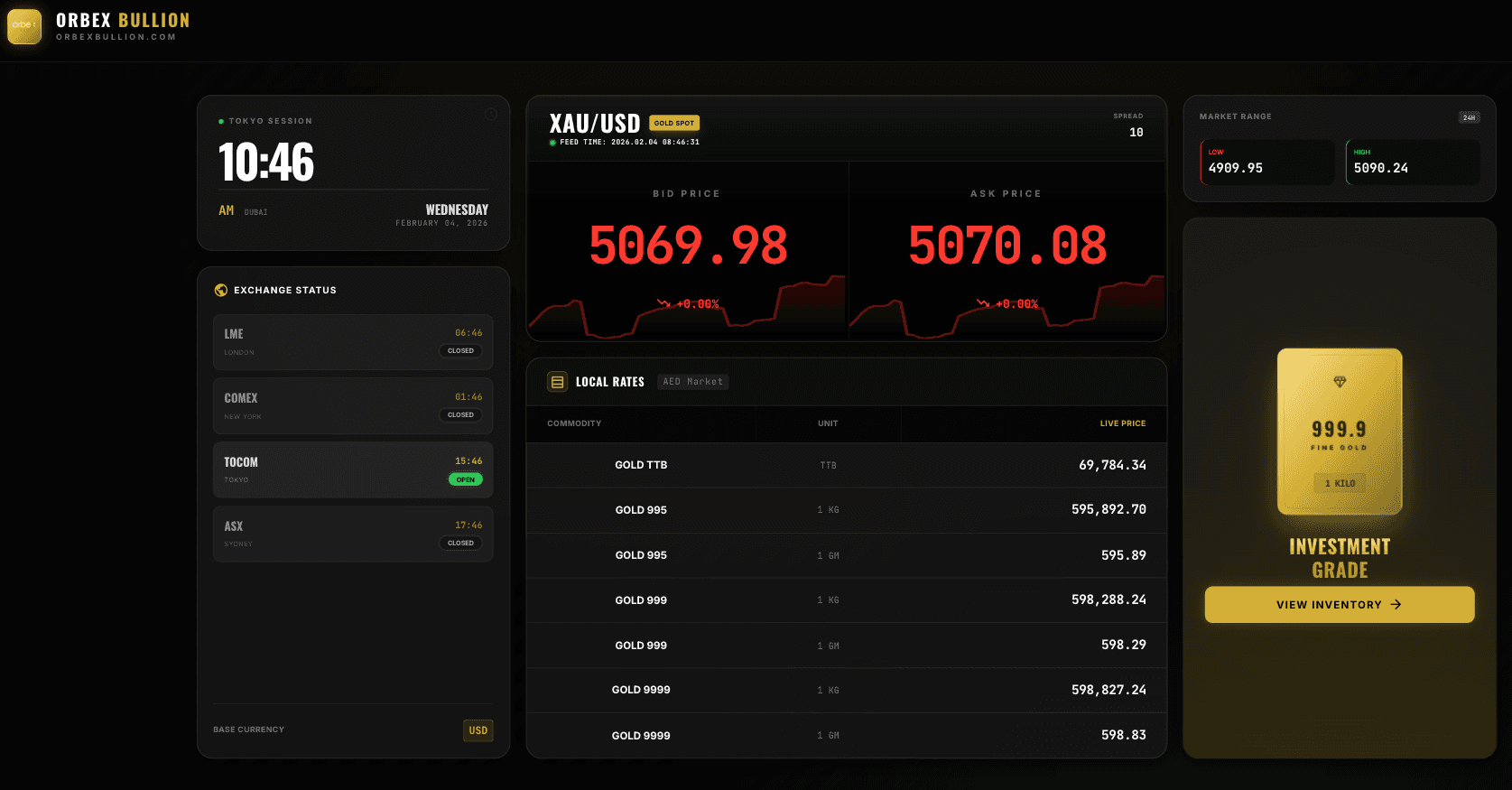
Orbex Bullion
A gold and bullion price dashboard showing live XAU/USD bid and ask alongside local rates for common weights and purities (995, 999, 9999), with a world clock for trading sessions and the status of major exchanges.
SignalIQ
An independently operated market-analysis application that uses PriceFeed Pro's live prices and OHLC history for instruments such as gold (XAU/USD) in its charts.
TradeFlash
An independently operated application that uses PriceFeed Pro's live tick stream to drive a real-time price chart with round timers.
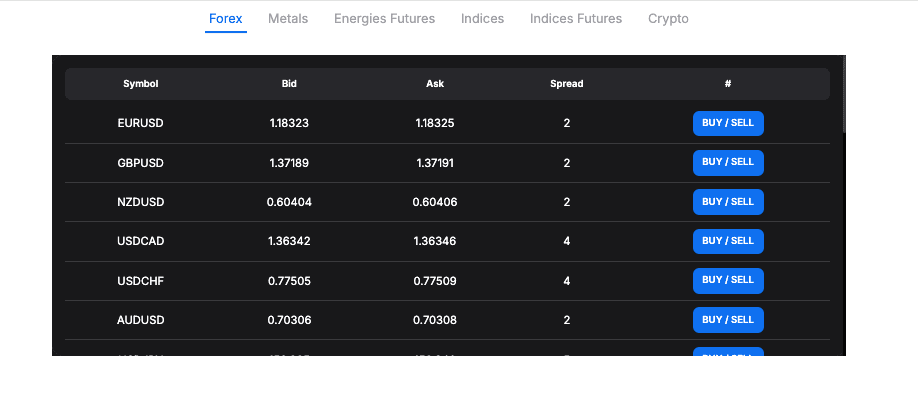
PriceTableWidget
A multi-asset price table showing live bid/ask prices and spreads for forex, metals, crypto and futures, supplied by PriceFeed Pro.
Applications shown are operated independently by their owners. PriceFeed Pro provides market data only and does not operate, endorse or take responsibility for their services, features or claims. Trading involves a high risk of loss.
Frequently asked questions
Quick answers about the AI connector, Strategy Lab and the market-data API.
What is PriceFeed Pro?
Live market data from a broker’s MT5 server, in three products on one account: an AI connector that puts live prices, history and analysis inside Claude or ChatGPT; Strategy Lab, which tests a trading idea on 1-minute history after real broker costs; and a market-data API over REST and WebSocket for your own apps. It covers forex, metals, indices and crypto, with OHLC bars from 1 minute to monthly and the broker server’s own time on every tick.
What is the PriceFeedPro AI connector?
One link that you add to your AI assistant as a custom connector (a remote MCP server): https://mcp.pricefeedpro.com/mcp. You sign in with your PriceFeedPro account, and your assistant can then read live quotes, candle history, multi-timeframe technical analysis and US macro data instead of guessing, and run Strategy Lab tests. It works on the Free plan.
How do I add it to Claude or ChatGPT?
In Claude (web, desktop or mobile): open Plugins in the side menu (older versions: Settings, then Connectors), press Add at the top right, choose Add custom connector, paste https://mcp.pricefeedpro.com/mcp, select Connect and sign in with your PriceFeedPro account. In ChatGPT: open Plugins (in the side menu or in Settings), choose Add, then Add custom MCP server, paste the same link, choose OAuth and sign in. ChatGPT may rename these menus; if you do not see the option, look under Apps & Connectors.
Do I need a second connector for Strategy Lab?
No. It is one link. Signed in with your PriceFeedPro account, the same connector carries the market-data tools and the Strategy Lab tools, and your plan covers both. A link with an API key in it works for clients that cannot open a sign-in window, but it carries the data tools only, not the lab.
What can the connector do, and what can’t it?
It can fetch live quotes, candle history, the analysis readings, US macro series from FRED and the Fed rate. Through Strategy Lab it can backtest a rule on 1-minute history with one broker’s real costs (spread, commission, slippage and swap) and export it to MetaTrader 5 or TradingView. Lab results are in R (multiples of the risk per trade), never in money, and each one shows how it compares with random entries (a percentile and a t value). It does not place trades, give investment advice or predict prices, and past results do not predict future ones. Your assistant writes the final answer, so check figures that matter.
How do I subscribe to live forex prices over WebSocket?
Connect to wss://pricefeedpro.com/ws/v1/stream?api_key=YOUR_KEY and send a JSON message: {"action":"subscribe","symbols":["EURUSD","XAUUSD","BTCUSD"]}. The server pushes tick messages containing symbol, bid, ask, spread, broker_time, data_stale and quote_status.
How is OHLC history paginated through the REST API?
GET /api/v1/market/history/{symbol}?tf=60&from=<RFC3339>&to=<RFC3339>&limit=N returns bars newest-first, capped by limit (default 500, max 5000). To page backward through a wide window, set the next request’s `to` parameter to the oldest `time` you received. There is no `page=` parameter on this endpoint — only /market/symbols and /market/specs paginate that way.
Does PriceFeed Pro support MT5 broker time zones?
Yes. Every tick and every history bar carries a broker_time field in RFC 3339 with the broker’s offset (for example "2026-05-04T01:00:00+03:00" for an MT5 server on New York time plus 7 hours) alongside the canonical UTC time. The response root also includes broker_tz (an IANA zone, or "America/New_York+7" for such servers) so consumers can render bars in the broker’s natural session clock without repeating the conversion math.
How can I tell if a price has gone stale?
Each tick carries data_stale, which goes true whenever the price is not live, and quote_status, which says why: live, stale (no fresh tick for about 2 minutes), frozen (the quote stopped moving while the 1-minute bars kept trading), disabled or expired. market_closed is separate and follows the broker’s trading schedule, so a scheduled weekend is not reported as a fault.
Which symbols does PriceFeed Pro support?
PriceFeed Pro relays the symbols the connected broker publishes: 350+ instruments, including major and minor forex pairs (EUR/USD, GBP/USD, USD/JPY, EUR/JPY and more), metals (XAU/USD, XAG/USD), crypto (BTC/USD, ETH/USD), stock indices (NAS100, SPX500, GER40) and other CFDs. Call GET /api/v1/market/symbols to list the live catalog.
Ready to Get Started?
Sign up for a free account and start streaming market data in under 5 minutes.